> For the complete documentation index, see [llms.txt](https://docs.erpbridge.io/llms.txt). Markdown versions of documentation pages are available by appending `.md` to page URLs; this page is available as [Markdown](https://docs.erpbridge.io/the-installation/erp-bridge-wizard-on-premise/9-start-agent.md).
# 9 - Start Agent
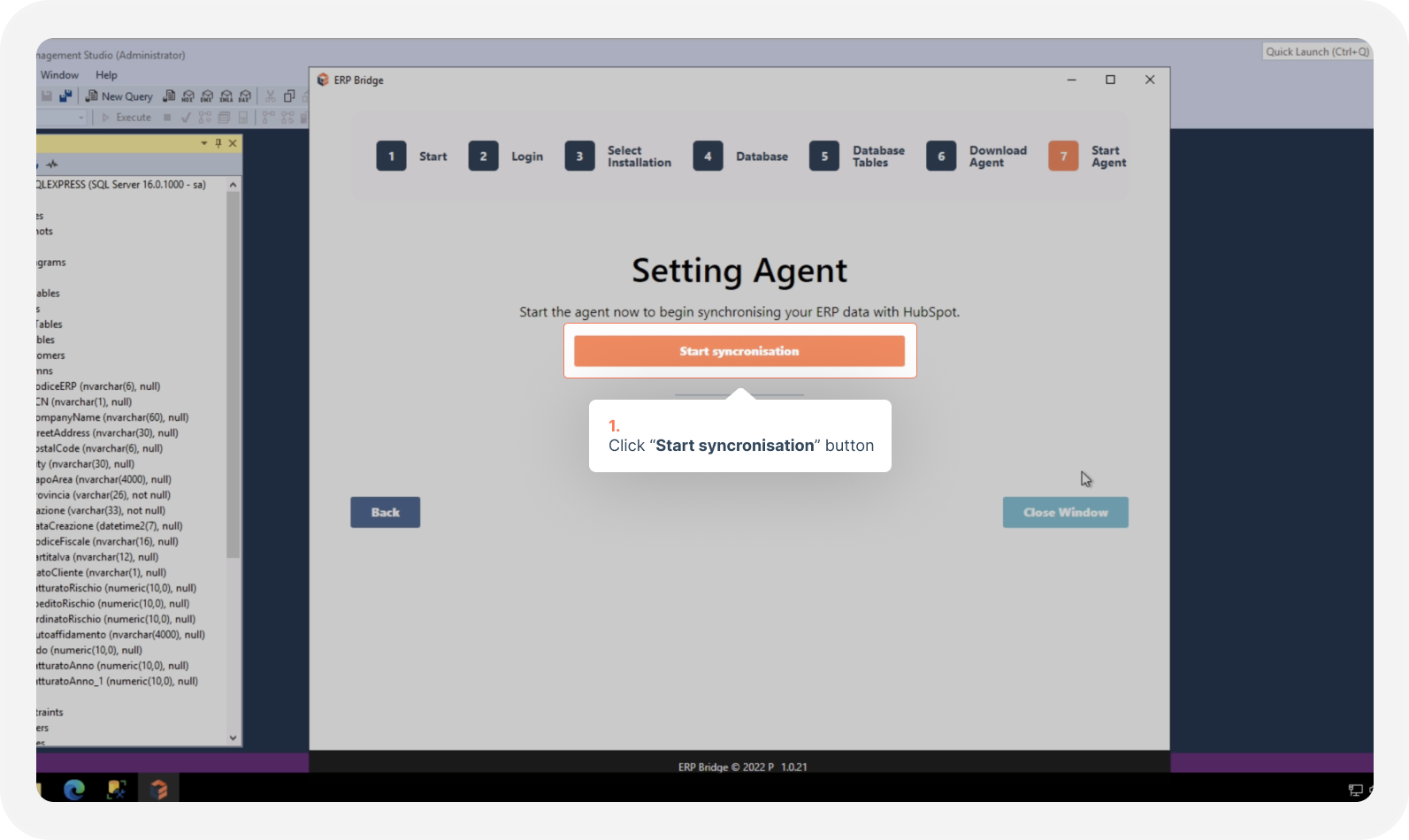
This is the final step before to return again on the browser left before the on-premise part.
At this point you will see possible choices:
Start the service (with default)
With this configuration the service will start with the following default configuration:
* **Service user**: Local System
* **User domain**: N/D
* **Startup type**: Automatic
Use advanced configuration
Following this additional step you will be able to choose a custom service user with a custom domain
* **Service user**: You choose
* **User domain**: You choose
* **Startup type**: Automatic
{% hint style="info" %}
If you are not sure about the user to choose, the permissions and your company internal network domain, we suggest you to go with the first default way.
{% endhint %}
After choose the service configuration, the wizard will start the service and send informations collected during the wizard process to our cloud platform.
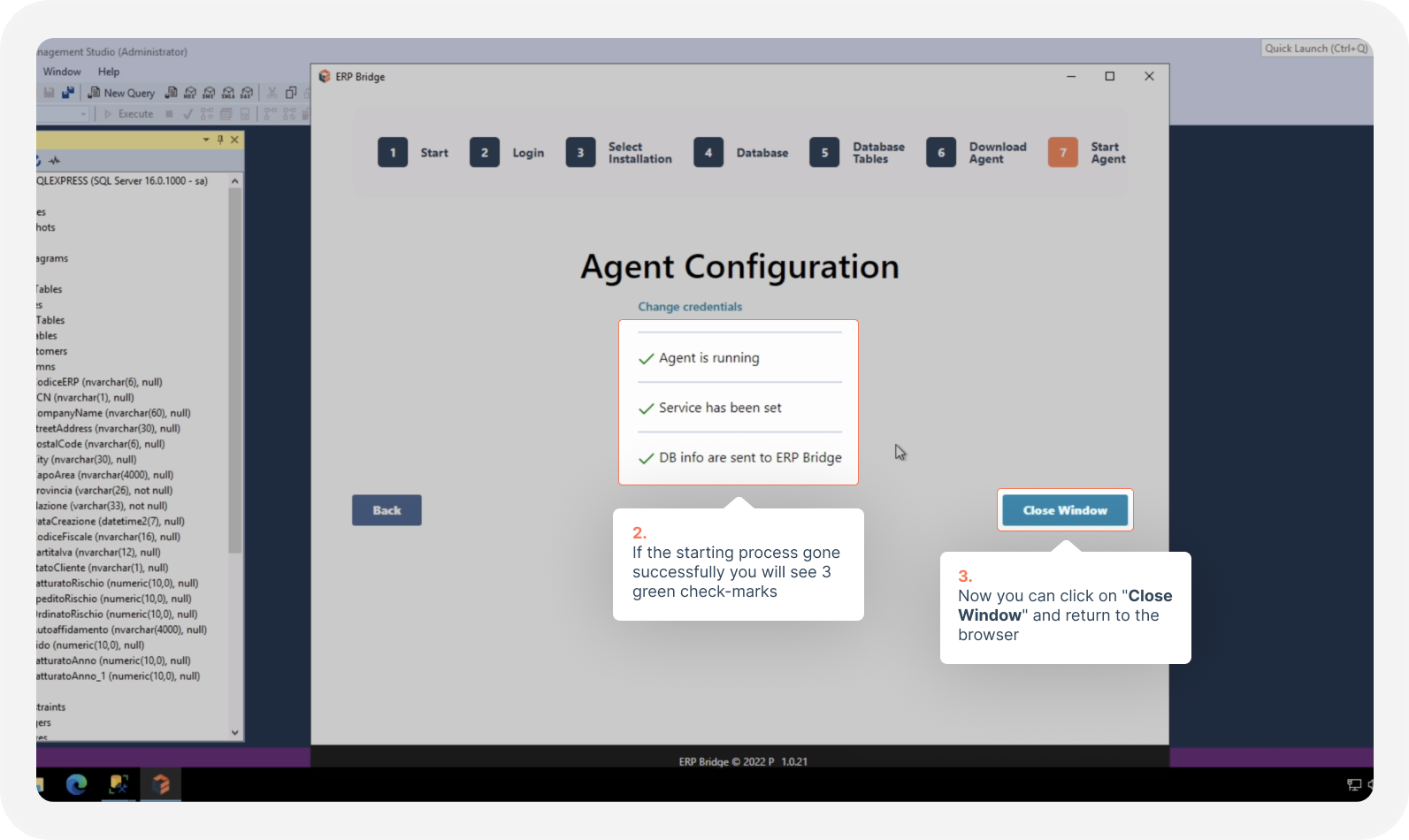
If the starting process gone successfully you will see 3 green check-marks: in this case the next step is to return back to the browser and continue with the next documentation page ([CLICK HERE TO GO](/the-installation/back-to-the-cloud.md)).
If you have some issue about the starting process you can try to find your error in this documentation page "[Agent service starting errors](broken://pages/yoOtR55lej0Px4KPG5dP)" or contact the technical support using this form: [https://www.erpbridge.io/support](https://www.erpbridge.io/support/)
{% embed url="" %}